The M&L technology approach
NetRelay IoT Development Board
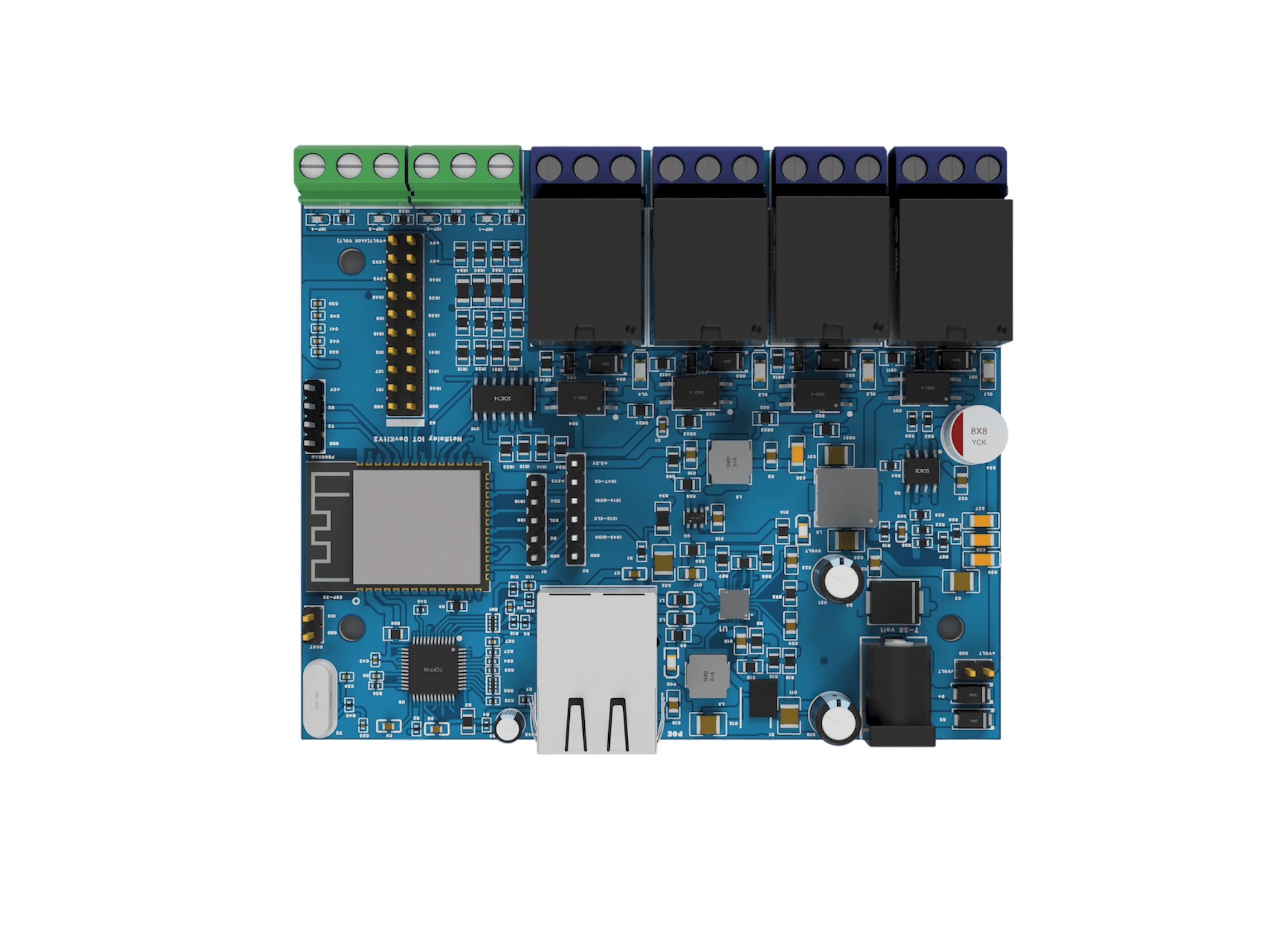
NetRelay is an extensible control platform designed for industrial IoT and automation projects, featuring Ethernet, Wi-Fi, PoE, powerful relay outputs and digital and analogue inputs.
What is the NetRelay IoT Development Board?
NetRelay IoT Development Board is an industrial IoT and automation platform designed to connect software applications with sensors, relays and physical field equipment. Ethernet, Wi-Fi and PoE connectivity make it suitable for factories, facilities, server rooms, agriculture, building automation and remote equipment management.
Relay outputs
NetRelay includes 4 relay outputs rated for switching loads up to 250 V AC and 10 A. Each relay provides normally open, normally closed and common contacts.
The relays can control lighting, fans, sirens, barriers, solenoid valves, pump control circuits, contactors, modems and similar equipment. Suitable contactors, protection devices and drivers should be used separately for high-power motors and inductive loads.
Digital inputs
The device includes 4 digital inputs. Dry-contact devices, magnetic door sensors, float switches, alarm outputs, thermal relays, limit switches and machine status contacts can be connected to these inputs.
Digital input changes can be monitored through the web interface, transmitted to central software through MQTT or HTTP and used to trigger configured relay actions.
https://github.com/mlteknoloji/mqttserver
Analogue inputs and sensor support
NetRelay provides 4 switched analogue inputs with increased gain. Compatible sensors and expansion modules can be used to measure temperature, light, pressure, humidity, soil moisture, electrical current and similar analogue values.
Sensor values can be compared with configured thresholds. A fan can start when temperature rises, irrigation can begin when soil moisture falls or measured values can be transmitted to a central system.
Ethernet and Wi-Fi connectivity
The device can operate through wired Ethernet or 2.4 GHz Wi-Fi. Wi-Fi access point and client modes allow it to connect to an existing wireless network or create its own network during initial configuration.
Ethernet provides stable communication for critical automation projects, while Wi-Fi provides installation flexibility where network cabling is not practical.
PoE and power options
NetRelay supports 802.3af/at PoE, allowing power and network data to travel through a single Ethernet cable. This simplifies installation in control panels, server cabinets, ceilings and remote locations where access to a power outlet is limited.
The device can also be powered through a 7–28 V DC input and used with common 12 V or 24 V industrial power supplies. When the PoE switch is connected to a UPS, NetRelay can continue operating during mains power interruptions.
Expansion interfaces
NetRelay provides 2 external I2C ports, 1 SPI port, 1 UART TTL serial port and additional expansion connections. Optional RS485 support allows field devices using Modbus or similar serial communication standards to be integrated.
The expansion connections support custom sensors, displays, memory modules and communication accessories.
RTC time module
With the optional DS3231 RTC module, the device can retain date and time information without an internet connection. Time-based automations, daily schedules and relay operations can therefore continue independently from online time services.
Sunrise and sunset calculations can be used to automate park, garden, residential complex and building lighting.
MicroSD data logging
An optional MicroSD module can record sensor values, digital input changes, relay actions and system events locally.
Local recording during internet or server outages helps reduce data loss in critical field applications.
DIN rail enclosure
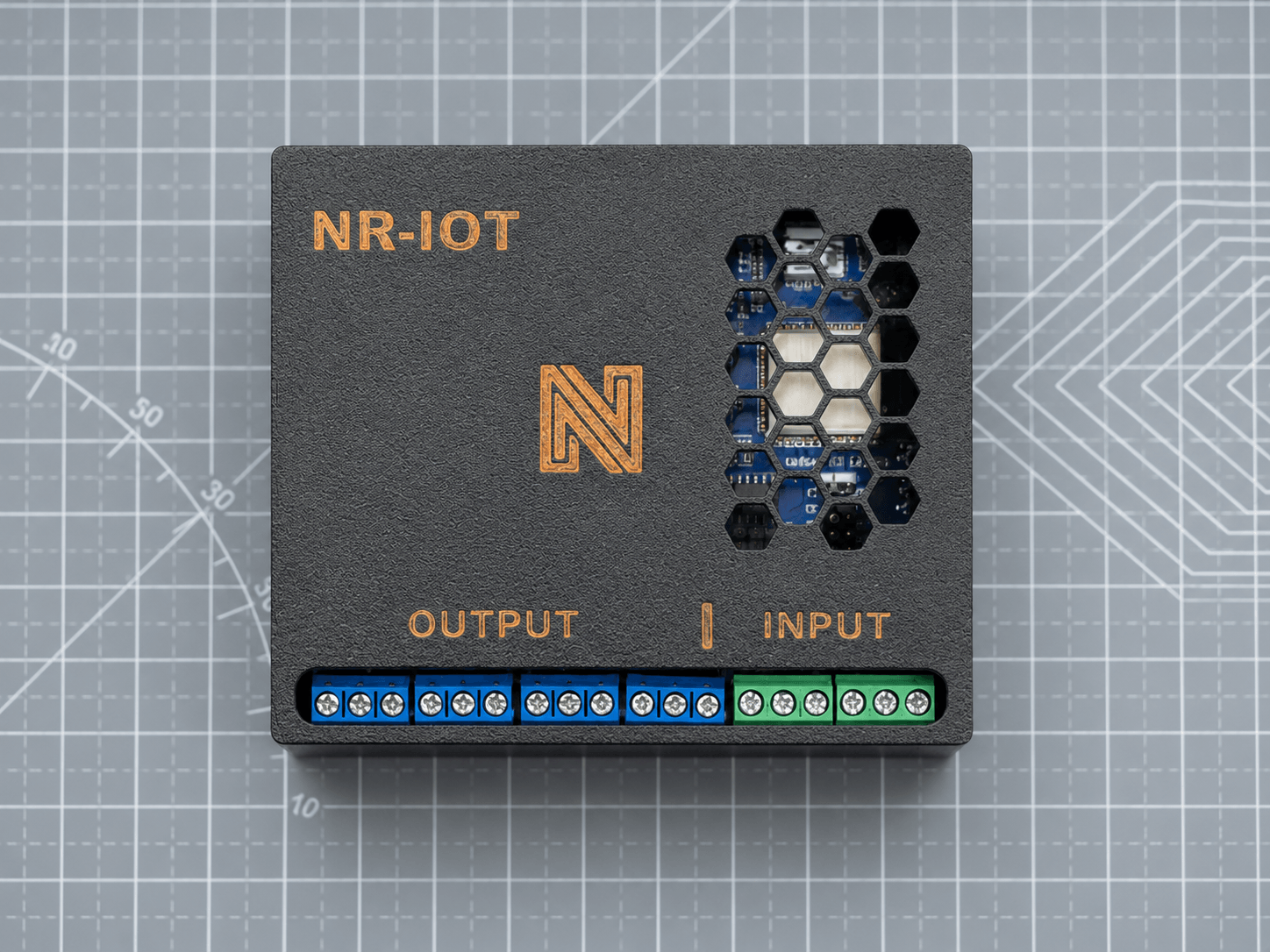
NetRelay is supplied in an enclosed housing compatible with standard DIN rails used in industrial control panels. This provides a safer, cleaner and faster installation than using an exposed circuit board.
Relay, input, power and network connections remain easily accessible inside the panel. The product is delivered as a field-ready enclosed device rather than only as an electronic circuit board.
Internal monitoring
The device can monitor its operating temperature and supply voltage. These values can support system health checks, early detection of power problems and remote maintenance processes.
Supported communication protocols
NetRelay supports HTTP GET and POST, MQTT, WebSocket, TCP server and TCP client communication. It can therefore be integrated with custom applications, production monitoring systems, SCADA platforms, Home Assistant, Node-RED, ERP systems and central management dashboards.
Applications developed with Python, Node.js, C#, C++, PHP, ASP, Delphi and VB.NET can read inputs and control relay outputs.
Ping Watchdog
Ping Watchdog periodically checks IP devices such as modems, routers, cameras, NVR systems, access points and servers. When a target device stops responding for a configured period, NetRelay can automatically power-cycle the relevant relay.
This allows unresponsive network devices to restart automatically without requiring technical personnel to visit the site.
Hardware specifications
- 4 digital inputs
- 4 relay outputs rated up to 250 V / 10 A
- Normally open, normally closed and common relay contacts
- 4 switched analogue inputs with increased gain
- Wired Ethernet connectivity
- Wi-Fi access point and client modes
- 802.3af/at PoE support
- 7–28 V DC power input
- 2 external I2C connections
- 1 SPI connection
- 1 UART TTL serial connection
- Optional RS485 connection
- Optional DS3231 RTC module
- Optional MicroSD data logging module
- Supply voltage and board temperature monitoring
- Enclosed housing compatible with standard DIN rail mounting
- Built-in Turkish and English web interface
Application areas
- Factory and production line automation
- Machine operation and fault monitoring
- Server room temperature and connectivity monitoring
- Remote restart of modems, cameras and network equipment
- Smart irrigation and greenhouse automation
- Water tank and well pump control
- Licence plate recognition and parking barrier integration
- Energy and environmental data monitoring
- Residential complex, park and building lighting automation
- Transmission of alarm and dry-contact signals over a network
Extensible architecture
NetRelay can be used directly with its built-in web interface and existing firmware or integrated into custom software projects. Custom firmware can be developed using environments such as ESP-IDF, PlatformIO and Arduino IDE.
This architecture makes NetRelay more than a network relay controller and turns it into a comprehensive IoT development platform for sensing, communication and automation projects.
Can I use NetRelay with Home Assistant?
Yes. NetRelay can be integrated with Home Assistant via MQTT using the Home Assistant compatible firmware. You can control NetRelay relay outputs and monitor its digital inputs directly from Home Assistant.
For the Home Assistant integration, NetRelay and Home Assistant must be on the same network. An MQTT broker must be installed on Home Assistant, and the MQTT settings on NetRelay must be configured correctly. Once the setup is complete, NetRelay will appear automatically under MQTT devices in Home Assistant.
On the NetRelay device, both MQTT Client Mode and Home Assistant options must be enabled for the integration to work. :contentReference[oaicite:0]{index=0}
What can I control in Home Assistant?
When NetRelay is successfully connected to Home Assistant, its 4 relay outputs are displayed as switches and its 4 digital inputs are displayed as binary sensors. :contentReference[oaicite:1]{index=1}
- You can turn relay outputs on and off from Home Assistant.
- You can monitor digital input states in real time.
- You can use NetRelay inputs and outputs in Home Assistant automations.
- You can assign custom names to NetRelay devices and their I/O channels.
- You can use multiple NetRelay devices in the same Home Assistant system.
How does the connection work?
Communication between NetRelay and Home Assistant is handled through MQTT. On the Home Assistant side, the Mosquitto MQTT Broker must be installed, an MQTT user must be created, and the Home Assistant IP address must be entered as the MQTT server address on NetRelay.
The standard MQTT port is 1883. For the initial setup, MQTT TLS should remain disabled. :contentReference[oaicite:2]{index=2}
Home Assistant compatible NetRelay firmware
To use the Home Assistant integration, you can install the following Home Assistant compatible NetRelay firmware:
Download NetRelay Firmware v3.3.5 HA
Can I use NetRelay with Apple Home or Google Home?
NetRelay is not added directly to Apple Home or Google Home as a Matter device. It must first be connected to Home Assistant. If desired, it can then be shared with Apple Home or Google Home through Home Assistant. :contentReference[oaicite:3]{index=3}
For Apple Home, you can use HomeKit Bridge. For both Apple Home and Google Home, an appropriate Matter Hub solution can be used. This step is optional and is not required if you only want to use NetRelay with Home Assistant.
In summary: NetRelay can be fully integrated with Home Assistant using the Home Assistant compatible firmware and MQTT. You can remotely control relay outputs, monitor digital inputs, and use NetRelay as part of your Home Assistant automation scenarios.